

Flexible timepoint selection for data exports
1778059196351
Improvement
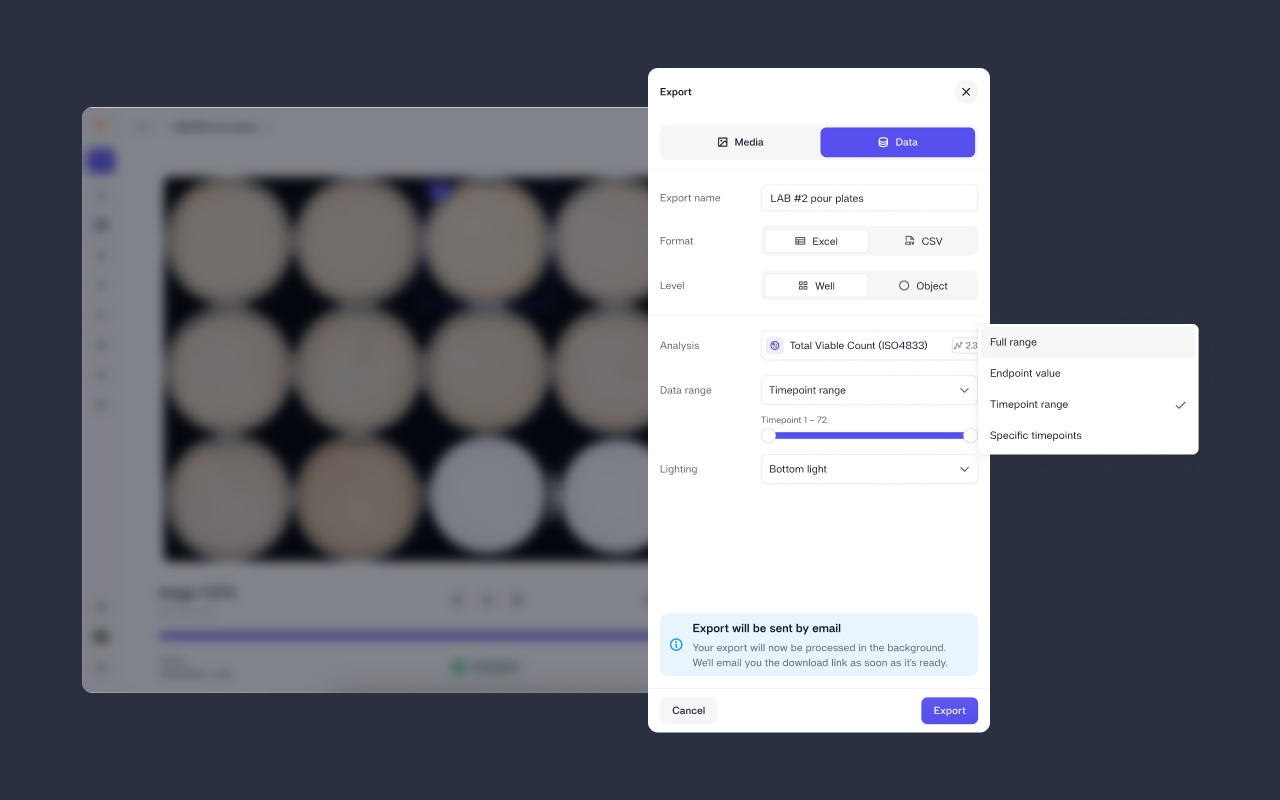
Waiting for a full export when you only need the last 24 hours of a run is friction you shouldn't have to deal with. Data exports now let you choose exactly which timepoints to include, so you get what you need, faster.
What's new
Select a timepoint range using a slider to export data between two specific timepoints
Pick specific timepoints by entering a comma-separated list (e.g. 1,10,20,60,72)
You can still choose full range or endpoint value if you want the complete dataset or just the final reading
Enjoy!
Did you like this update?


{error_message}
Leave your name and email so that we can reply to you (both fields are optional):
Thanks for your feedback!

Published by Mads Jersin