
Multi-factor authentication (MFA) for added account security
1765533058988
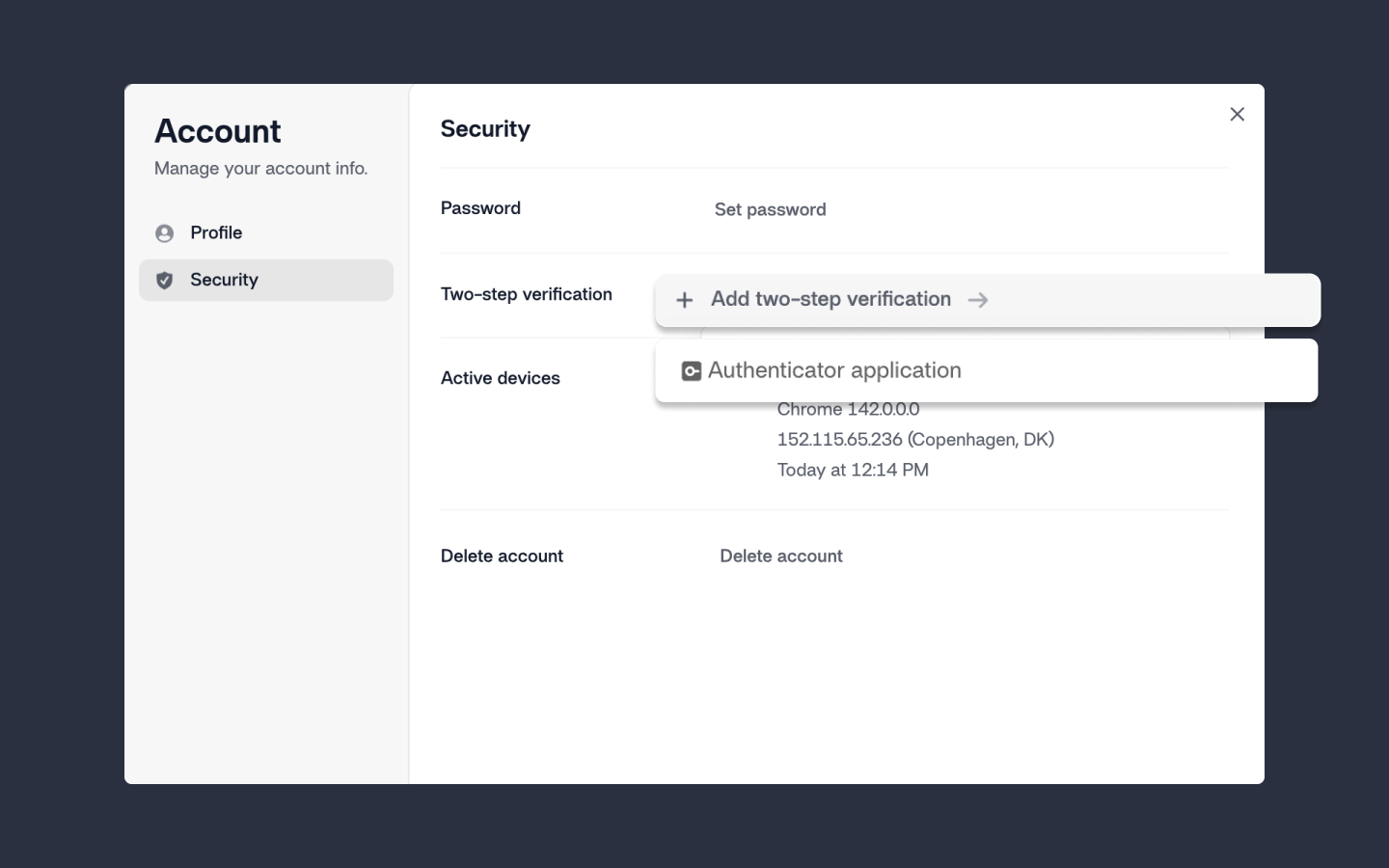
Your Reshape account can now be protected with multi-factor authentication (MFA). This adds an extra layer of security on top of your password, helping prevent unauthorized access and meeting high security standards. On that note – and in case you missed it – we recently launched Single Sign-On (SSO) support. Read more about this here.
You can secure your account using any standard authenticator app, such as Google Authenticator, or generate one-time backup codes you can store safely for account recovery.
To enable MFA, head over to your Profile via your avatar in the top of the left sidebar → select Manage account → hit the Security tab → click Add two-step verification and follow the instructions.
Multi-factor authentication reduces the risk of unauthorized access and strengthens overall account protection.
Stay secure 🔒
Did you like this update?


Leave your name and email so that we can reply to you (both fields are optional):
