

Plate Designer (in Beta)
1767788019759
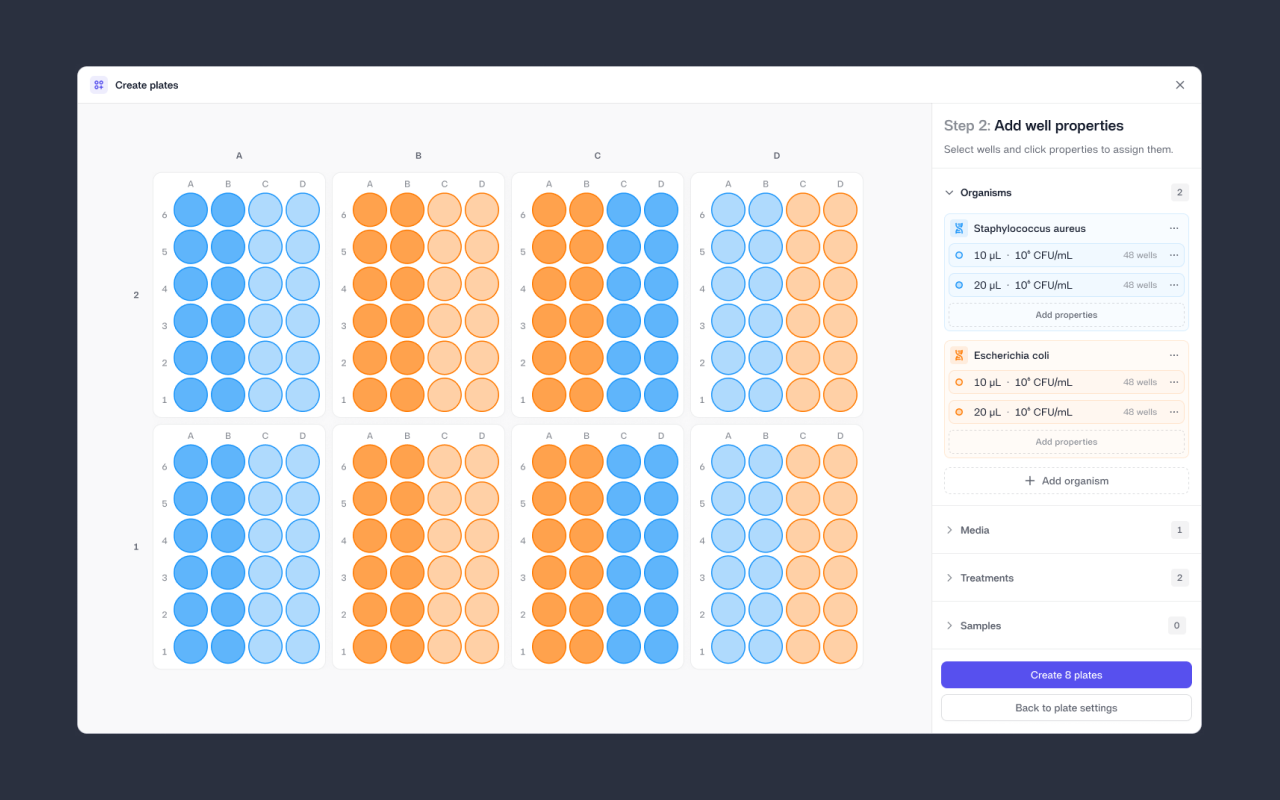
Designing plate layouts in spreadsheets or notebooks often leads to last-minute edits that are hard to track, reproduce, or tie cleanly to results. With Plate Designer, you can now design plate layouts directly in Reshape before a job starts, ensuring metadata is defined upfront and flows consistently into the analysis of plates.
Plate Designer lets you choose how many plates you’re mapping on a Reshape tray (up to 15 petri dishes or 10 microtiter plates at a time). From there, you can apply properties like organism, media, treatment, sample, and control type across rows, columns, or custom selections (in bulk where/if needed). Common patterns such as controls, replicates, gradients, and treatment groups can be set up quickly, reviewed visually, and reused across experiments.
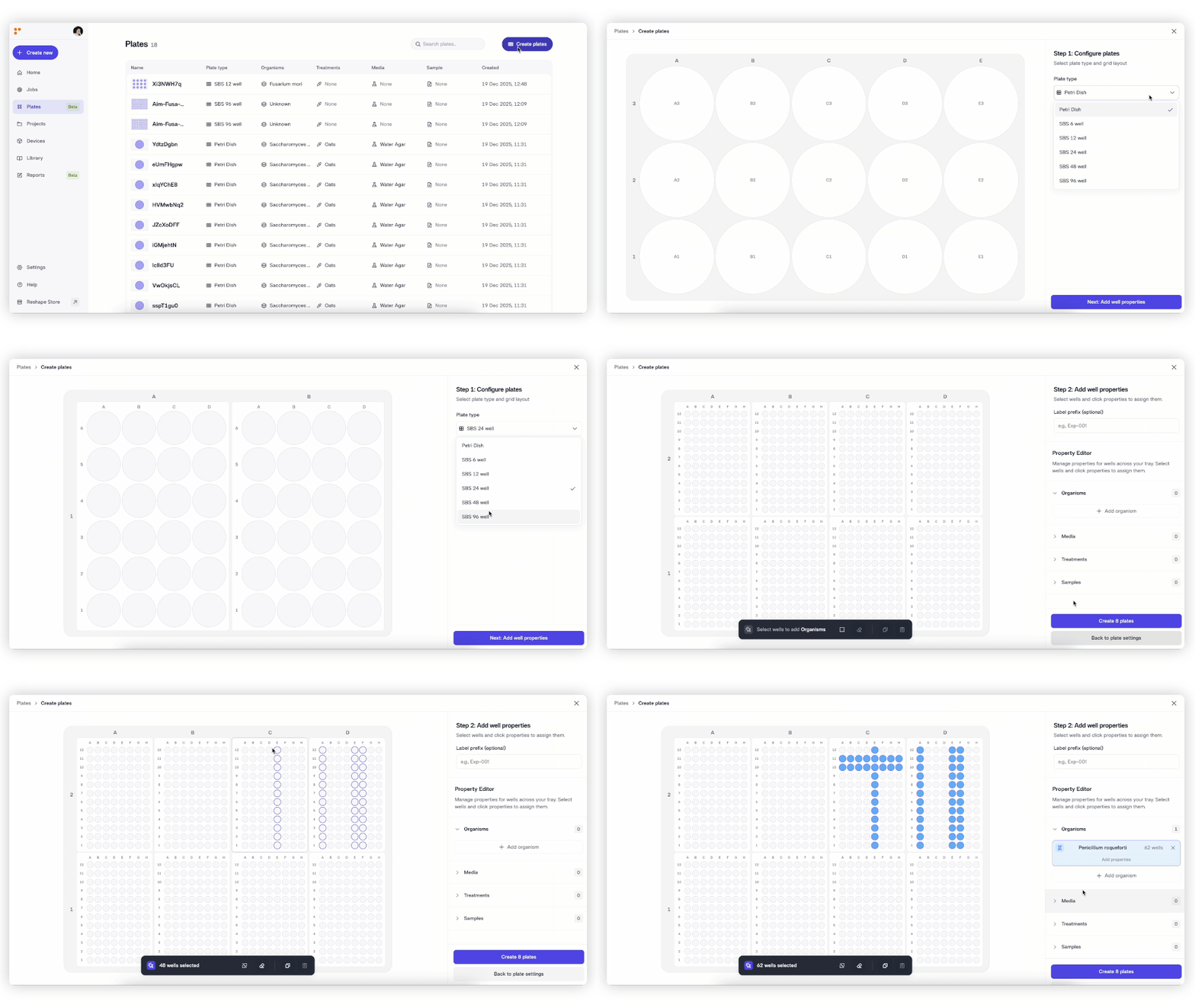
Once a plate design is created, it can be selected when starting a job. This results in cleaner inputs from the beginning, clearer experimental context, and more reliable downstream insights without relying on external files or manual setup.
Try it out now, just click here. Plate Designer is currently available in beta to all Reshape users.
Did you like this update?


Leave your name and email so that we can reply to you (both fields are optional):
